Key Takeaways
Custom CRM features built around your actual workflows eliminate data silos, missed follow-ups, and growth-blocking inefficiencies that off-the-shelf platforms can’t fix.
- Generic CRM platforms create costly workarounds — custom-built features that mirror your real sales process drive consistent team adoption and eliminate knowledge silos.
- A purpose-built lead tracking workflow gives every lead a home, an owner, and a next step, reducing the process gaps that quietly kill conversion rates.
- Centralized customer data management shortens sales cycles by 8–14% and removes the single-point-of-failure risk that comes with one person holding all relationship history.
- Account health scoring, renewal tracking, and escalation alerts shift your client management from reactive to proactive — essential once you’re managing more than a handful of accounts.
- Build only what your team needs today with room to expand later — usability drives adoption, and a focused system your team uses consistently outperforms a feature-heavy one they avoid.
There is a moment most scaling business owners recognize: the tools that helped you get here are now the reason you cannot move faster. Your team is copying data between apps, chasing updates in email threads, and working around a CRM that was built for someone else’s sales process. If that sounds familiar, whether you run a growing agency in Gastown, a tech startup in Mount Pleasant, or a professional services firm in downtown Vancouver, the answer is not another subscription that almost fits. The real solution is a CRM built around exactly how your business works, not how a software vendor assumes it should.
This article covers the core features that matter most when you are outgrowing your current setup, from pipeline visibility and lead tracking to account management and customer data alignment. It also explains what to verify before you build and how a structured development process protects your investment from day one.
Table of Contents
When Your CRM Stops Growing With You
The friction usually builds gradually. One team member maintains a separate spreadsheet to track what the CRM misses. Another re-enters data in two places because the tools do not talk to each other. A third sends a message asking where the latest account notes are, only to find they live in someone’s personal inbox. These are not minor annoyances. They are symptoms of a system that was never designed for the complexity your business has grown into.
Off-the-shelf CRM platforms are built around the most common use case, which is rarely your use case. The result is a growing list of workarounds that eat time, introduce errors, and create knowledge silos where critical information depends on one person rather than a shared system. Research from Aberdeen Group suggests that high-performing sales organizations tend to practise more consistent CRM usage than lower-performing ones, which means the platform itself has to make consistency easy, not hard. When your team is fighting the tool, adoption drops, and so do results.
Sales Pipeline Features That Reflect How You Actually Sell
A pipeline is only useful if it mirrors reality. When your sales stages are forced into a generic template, your team either bends their process to fit the software or ignores it entirely and falls back on email. Neither outcome supports growth.
The right pipeline features give you a visual view of your actual deal flow, with stages named and sequenced the way your team genuinely works. In practice, that includes:
- Drag-and-drop deal cards your team will actually use
- Stage-based automation that triggers the right action at the right moment
- Visibility filters that let managers see pipeline health by rep, region, or deal size without pulling a manual report
Missed follow-ups are one of the most consistent revenue leaks in growing teams. A well-designed pipeline view surfaces exactly which deals need attention before they go cold, reducing the cognitive load on each salesperson while giving leadership the oversight they need to coach and forecast effectively.
Pipeline Automation That Preserves Context
Automation is only valuable when it preserves the information your team needs to have meaningful conversations. Trigger-based stage progression, where a deal automatically advances when a proposal is sent or a meeting is booked, removes the manual update burden without wiping out the account history behind it.
Every automated action should be logged alongside human activity: calls, emails, notes, and document exchanges. That way, any team member can step into a deal and understand exactly where it stands and how it got there. This is what separates a smart pipeline from a simple status board, and it becomes more important as deals are handed off between people.

Lead Tracking That Works End to End
Most growing teams have a lead tracking problem that looks like a coordination problem. A lead comes in through the website, gets logged somewhere, gets picked up by whoever checks that channel first, and then either gets followed up or quietly disappears.
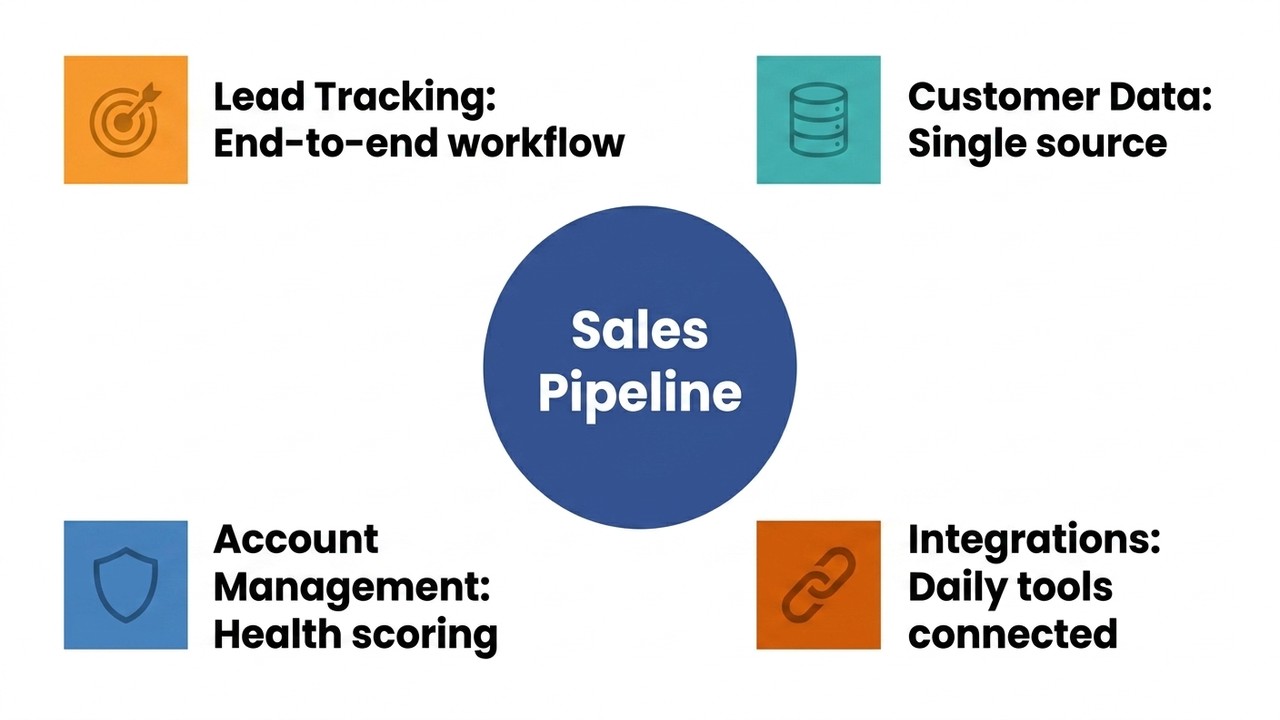
A purpose-built lead tracking workflow eliminates those gaps by creating a single, consistent path from first contact through qualification, assignment, and scheduled follow-up. Every lead has a home, an owner, and a next step, and that structure does not depend on anyone remembering to do something.
The business case is significant. Forrester research has indicated that sales teams using a structured CRM system may see meaningful improvements in lead conversion rates. That reflects what happens when a team stops losing leads to process gaps and starts working them through a reliable, repeatable system. When the lead record, qualification notes, assignment history, and follow-up schedule all live in one place, your team stops spending time finding information and starts acting on it.
Why Lead Source Attribution Matters
Knowing that a lead arrived is only the beginning. Knowing where it came from and how ready it is to convert is what lets your team allocate effort intelligently.
Lead source attribution connects each contact back to the campaign, channel, or referral that generated it, giving you the data to invest more in what is working and stop spending on what is not. Combined with lead scoring that ranks contacts by fit, engagement, or readiness, this gives growing teams a genuine prioritisation system rather than a first-in-first-out queue. The leads most likely to convert get the attention they deserve, and no one wastes time chasing someone who was never going to buy.
| Lead Tracking Element | What It Does | Why It Matters |
|---|---|---|
| Unified lead record | Stores qualification notes, assignment history, and follow-up schedule in one place | Eliminates information gaps and handoff errors |
| Lead source attribution | Links each contact to the campaign, channel, or referral that generated it | Reveals which sources deliver the best results so budget is spent wisely |
| Lead scoring | Ranks contacts by fit, engagement, or readiness to convert | Ensures high-value leads receive attention first |
| Structured follow-up workflow | Assigns an owner and next step to every lead automatically | Prevents leads from quietly disappearing between touchpoints |
Customer Data Management: Keeping Your Team on the Same Page
As teams grow, customer data tends to fragment. One person has notes in their inbox, another has a version of the contract in a shared drive, and the CRM has a record that nobody has updated in three weeks.
Strong customer data management features close that gap by creating a single, authoritative record for every contact and account. That record should include:
- Unified contact information and a complete interaction history
- Stored documents and contracts in one accessible location
- Role-based access so the right people see what they need without unnecessary exposure of sensitive information
Nucleus Research has found that better data accessibility for salespeople can contribute to shorter sales cycles. A well-organised CRM is not just a record-keeping tool. It is a direct contributor to revenue velocity. It also removes the single-point-of-failure problem that plagues many growing teams, where one experienced employee becomes the unofficial keeper of all relationship history. When everything is in the system, onboarding a new team member becomes a matter of granting access rather than months of informal knowledge transfer.

Account Management Features for Scaling Client Relationships
Managing ten client accounts feels different from managing fifty. At ten, you can hold most of it in your head. At fifty, you cannot, and the clients who feel neglected will tell you about it by leaving.
Practical account management features for growing teams include:
- Renewal and contract expiry tracking tied to automated reminders
- Health scoring that flags accounts showing signs of disengagement
- Task ownership by account so nothing falls through the gap between departments
- Escalation alerts that surface a problem before it becomes a complaint
A client health score that aggregates usage data, support ticket frequency, and engagement signals gives your account team a way to be proactive rather than reactive. These are the kinds of features that separate a business managing growth from one being managed by it. If you are exploring broader custom CRM and client portal ideas, these account management tools form the operational backbone that makes a client-facing portal genuinely useful rather than just presentable.
| Account Management Feature | Function | Benefit for Growing Teams |
|---|---|---|
| Renewal and contract expiry tracking | Triggers automated reminders before key dates | Prevents missed renewals and lost revenue |
| Client health scoring | Aggregates usage data, support frequency, and engagement signals | Enables proactive outreach before disengagement becomes churn |
| Task ownership by account | Assigns clear responsibility across departments | Eliminates gaps between teams handling the same client |
| Escalation alerts | Surfaces emerging problems automatically | Allows early intervention before issues become complaints |
What to Verify Before Building Your Custom CRM
Before committing to a build, it is worth answering a few pointed questions:
- Which workflows are genuinely broken right now, and which are just inconvenient?
- Which integrations are non-negotiable because removing them would create new problems?
- What will your team actually use, as opposed to what looks impressive in a demo?
The answers shape the scope of the build and determine whether the investment delivers returns quickly or slowly. Starting with only the features your team needs today, with a clear architecture that allows expansion later, reduces upfront cost and speeds adoption. A system with twenty features your team uses consistently outperforms a system with fifty features that overwhelms them.
A notable share of salespeople still rely on informal tools like spreadsheets and email to store customer data. The barrier is rarely capability. It is almost always usability. Build what solves the real problems first, and build it well.

How a Structured Development Process Protects Your Investment
Choosing to build a custom CRM is a meaningful decision, and the way it is built matters as much as what gets built. An adaptive, step-by-step delivery approach means you are never left wondering what is happening or asked to make technical decisions outside your expertise.
At Twelfth Dream, the development process is structured so that clients, including growing businesses across Metro Vancouver and the broader BC market, stay informed and involved at each stage without being required to manage the technical complexity themselves. You describe what you need. The team handles the rest.
Predictable delivery is a structural outcome of a disciplined process, not just a promise. Long-term post-launch support matters because a CRM is not a finished product the moment it goes live. It is a living system that will need refinement as your team grows and your processes evolve. When evaluating a development partner, the question is not only whether they can build what you need today, but whether they will be there to support what you need six months from now. If you are also considering client portal features customers expect as part of a broader client-facing strategy, that same continuity of support becomes even more important as your product grows in scope and visibility.
If your current tools are holding your team back and you are ready to build something that fits how you work, Twelfth Dream would love to hear about it. Reach out and tell us what you need. We will handle the rest.
Frequently Asked Questions About Custom CRM Features
What custom CRM features matter most for a growing Vancouver business?
The most impactful features are those that eliminate the gaps your team already works around: a configurable sales pipeline, structured lead tracking, unified customer data, and account health monitoring. For Vancouver businesses, the ability to integrate with existing tools and scale without re-platforming adds significant long-term value.
How is a custom CRM different from an off-the-shelf platform like Salesforce or HubSpot?
Off-the-shelf platforms are built around the most common sales workflows, which often do not match how a specific business operates. A custom CRM is built around your actual processes, terminology, and team structure. This reduces workarounds and improves adoption because the system fits the team rather than the other way around.
How long does it typically take to build a custom CRM?
Timelines vary depending on complexity and scope. A focused build targeting a team’s core workflows is generally faster than most expect. Starting with a clearly defined feature set and a disciplined development process is the most reliable way to keep timelines and budgets predictable.
Will my team actually adopt a new CRM system?
Adoption is directly tied to usability. When a CRM is built around how your team already works, with familiar terminology and only the features they actually need, uptake tends to be higher than with generic platforms. Involving key team members in the design process further increases buy-in from the start.
What integrations should a custom CRM support for a growing team?
The integrations that matter most are the ones your team relies on daily: email, calendar, billing, marketing tools, or industry-specific software. A custom build should connect to those systems rather than replace them, ensuring your team works from a single source of truth without disrupting existing workflows.