
Key Takeaways
Small teams scale faster by automating high friction internal tasks, connecting their tools, and building custom systems when off the shelf platforms stop fitting their workflow.
- Start automation where friction is highest and most frequent; task assignment, approval routing, status updates, and client communication triggers deliver visible results within weeks rather than months.
- Many growing teams are software rich but system poor; integration automation lets information flow between existing tools automatically so no one is copying data manually between platforms.
- Off the shelf productivity apps like Zapier, Make, Notion, and ClickUp have real ceilings; evaluate them against your actual workflow, not a feature list, because critical integrations are often locked behind higher pricing tiers.
- When your team is maintaining workarounds just to make a standard tool behave correctly, a custom built system becomes more cost effective over time by recovering hours, eliminating errors, and centralizing data.
- Before automating anything, map the current workflow first; automating a broken process only makes the breakage faster, and understanding who will own ongoing maintenance is as important as the initial setup.
When a small team is growing quickly, the cracks in day-to-day operations start showing before anyone is ready to deal with them. Approvals get lost in email threads, status updates live in someone’s head, and onboarding a new hire somehow takes three people and two spreadsheets. If this sounds familiar, you are not alone. Finding the right workflow automation ideas for small teams is often what separates businesses that scale cleanly from ones that grow into chaos.
This article walks through where automation delivers the most value for growing teams, how to evaluate the tools available, and when a custom-built system becomes the smarter path forward. Whether you are a marketing agency in Gastown, a professional services firm on the North Shore, or a tech startup in Mount Pleasant, there is a practical starting point here for you.
Table of Contents
Why Small Teams Hit a Wall Without Workflow Automation
Growth is exciting until the systems you built for five people are groaning under the weight of fifteen. Spreadsheets that once felt manageable become sources of conflicting data. Manual data entry gets duplicated across platforms. Jumping between apps eats hours that should be going toward real work.
These are not signs of a bad team. They are signs of processes that were never designed to scale.
According to McKinsey and Company, approximately 50% of all work tasks can be automated using technology that already exists today, yet adoption remains uneven. The same research indicates that 66% of organisations have already automated at least one business function, up from 57% the year prior. The gap between teams that automate and those that do not is widening steadily.
Generic tools like shared inboxes and task boards tend to break down around the 10-person mark, because coordination complexity grows faster than the tools can handle. A notification meant for one person reaches everyone. A status that should update automatically requires a manual edit. A process that works in one app does not connect to anything else. The result is a team that is technically busy but operationally stuck.
The Most Practical Workflow Automation Ideas for Small Teams
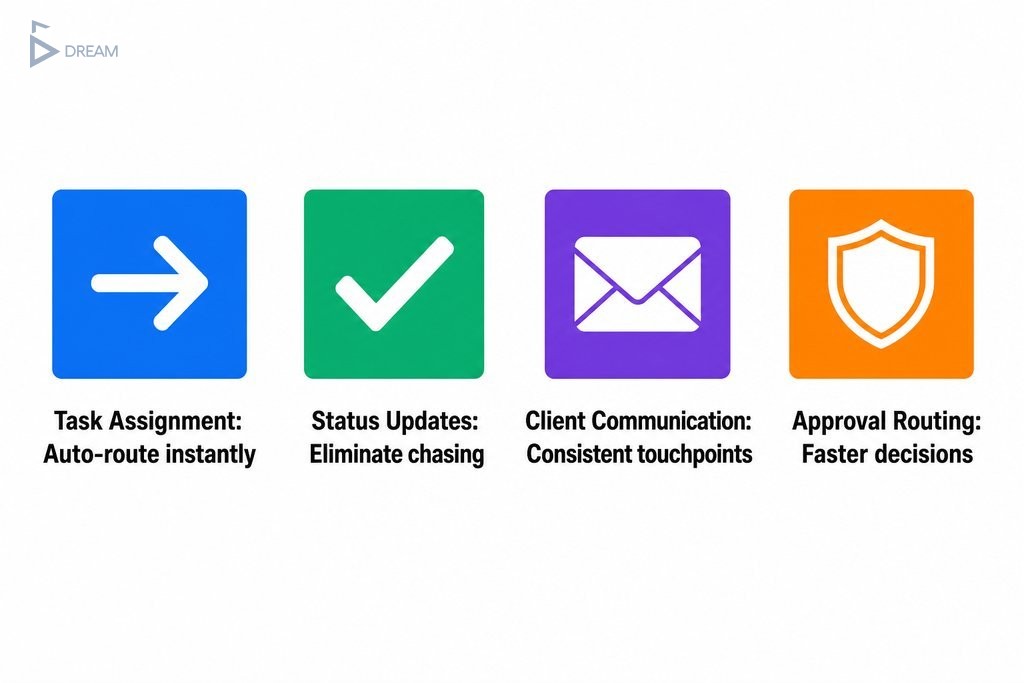
Not every automation idea is worth your team’s time right now. The most effective approach is to start with the tasks that cause the most friction, the most often. Small teams consistently see the fastest results in four areas:
- Task assignment — automatically route new work to the right person based on predefined rules
- Status updates — trigger updates when a task moves stages, so no one has to chase progress manually
- Client communication — send confirmation emails, follow-ups, or alerts based on actions in your system
- Approval routing — move routine requests through the right sign-off chain without back-and-forth messages
These improvements pay off quickly and do not require a full operational overhaul to put in place.
| Automation Area | What It Replaces | Primary Benefit |
|---|---|---|
| Task assignment | Manual routing and delegation messages | Work reaches the right person immediately |
| Status updates | Manual edits and progress check-ins | Eliminates chasing and reduces miscommunication |
| Client communication | Manually drafted follow-up emails | Consistent, timely touchpoints without extra effort |
| Approval routing | Back-and-forth messages and email chains | Faster decisions with full oversight preserved |
Automating Repetitive Internal Tasks First
Internal bottlenecks are often invisible until someone maps them out. Onboarding checklists a manager recreates manually every time. Recurring reports that require pulling data from three places. Handoff notifications that depend on someone remembering to send a message. These tasks drain team energy every single day.
Automating admin tasks in business operations like these does not require sophisticated technology. It requires identifying which repetitive actions happen most often and setting up rules so they trigger automatically when the right conditions are met.
Automating approval workflows for routine requests, such as time-off approvals or budget sign-offs under a certain threshold, is another high-return starting point. It removes unnecessary back-and-forth without removing oversight.
Connecting Your Tools So Data Moves Automatically
Many growing teams are software-rich but system-poor. They have a project management tool, a CRM, a communication platform, and an invoicing app, but none of them talk to each other. Someone manually copies a lead from a form into a spreadsheet, then into the CRM, then notifies the sales rep by message. That is three manual steps for one incoming lead.
Integration automation bridges these gaps so information flows between tools without anyone touching it. When a form is submitted, a CRM record is created, a task is assigned, and a confirmation email goes out automatically. This is where business process automation with custom apps shows its real potential: connecting the specific tools your team already uses rather than forcing a switch to something new.
Small Team Productivity Apps Worth Knowing About
The market for small team productivity apps is crowded, and most platforms market themselves as the solution to everything. Here is a straightforward breakdown of the most relevant options:
- Zapier and Make (formerly Integromat) — strong for connecting apps without writing code, especially when your stack includes Google Workspace, Slack, or HubSpot
- Notion and ClickUp — workflow management with some automation built in, well suited for teams that want a consolidated workspace
- Monday.com and Asana — effective for project coordination across multiple workstreams
- ActivePieces — an emerging option for non-technical owners who want integration without complexity
| Tool | Best For | Technical Skill Required | Automation Capability |
|---|---|---|---|
| Zapier / Make | Connecting multiple apps | Low | High — cross-platform integration |
| Notion / ClickUp | Consolidated workspace management | Low to medium | Medium — built-in workflow rules |
| Monday.com / Asana | Multi-workstream project coordination | Low | Medium — task and status automation |
| ActivePieces | Non-technical owners needing integration | Low | Medium — growing integration library |
Every platform has a ceiling. Off-the-shelf tools are designed for the broadest possible audience, which means they rarely fit any specific team’s workflow perfectly. The features that matter most to you may be locked behind higher pricing tiers, and the integrations you need may require workarounds. Evaluating these tools against your actual workflow, rather than a feature checklist, is the only reliable way to know whether they will hold up as your team grows.

When Off-the-Shelf Tools Stop Being Enough for Vancouver Businesses
There is a recognisable moment when a growing team realises they are managing the tools, not managing the work. Workarounds start piling up. Data lives in five places with no single source of truth. Staff spend time maintaining systems instead of using them.
The Formstack and Mantis Research Digital Maturity Report found that only 4% of businesses have achieved a fully digitised and automated workspace, which speaks to how rarely off-the-shelf platforms get teams all the way there.
If your team has created custom fields, workaround automations, and manual exception processes just to make a standard tool behave the way you actually operate, the tool is no longer serving you. You are serving the tool.
This is the point where a custom-built solution, designed around how your team actually works rather than a generic workflow model, becomes not just appealing but potentially more cost-effective over time. The upfront investment can pay back in hours recovered, errors eliminated, and decisions made from accurate, centralised data. For Vancouver teams navigating a competitive business environment, that efficiency advantage tends to compound quickly.
How a Custom Workflow System Gets Built Around Your Team
Custom software can sound intimidating, but a well-run development process removes the complexity from your side entirely. At Twelfth Dream, the process starts with discovery: understanding how your team actually operates, where the friction lives, and which problems, if solved, would have the largest downstream effect.
From there, only the essential features are scoped and built first. This keeps the project focused, the delivery timeline realistic, and the result immediately useful. The adaptive release process means your team is not waiting months before seeing anything. Changes are absorbed naturally at each stage, and you stay informed without being pulled into technical decisions that are not your responsibility.
The goal is a system that mirrors exactly how your team works, not one that forces your team to adapt to it. Ongoing support after launch ensures that as your business evolves, the system evolves with it.

What to Verify Before Committing to Any Automation Approach
Before you automate anything, map the workflow as it currently exists. Automating a broken process makes the breakage faster and harder to fix. Confirm these four things before you commit:
- Where work genuinely stalls — identify the real bottlenecks, not the assumed ones
- Where errors are introduced — manual handoffs and duplicate data entry are the most common culprits
- Whether your tools integrate cleanly — compatibility issues discovered after purchase are a common and avoidable setback
- Who will own ongoing maintenance — integrations can break when platforms update, and rules need revisiting as your business changes
Smaller firms tend to report stronger automation success rates than large enterprises, largely because shorter change cycles allow faster iteration. That advantage only holds when the starting point is well understood. When the scope is complex or the stakes are high, bringing in outside expertise early typically saves more time than it costs.
Taking the First Step Toward Smarter Team Operations
You do not need to automate everything at once. The most effective teams start by documenting one workflow, identifying where it breaks down, and making that single process run reliably on its own. That one win builds confidence, demonstrates value to the broader team, and creates a repeatable model for improving the next process.
Applying workflow automation ideas one step at a time produces a cumulative effect that compounds across the business over time.
When the time comes to move beyond patchwork solutions and build something that genuinely reflects how your business operates, professional support makes that transition far less disruptive. Twelfth Dream works with business owners in Vancouver and across British Columbia who are ready to stop managing their tools and start building systems that actually work for them. If you are ready to talk through what that could look like for your team, reach out and start the conversation.
Frequently Asked Questions About Workflow Automation for Small Teams
What is workflow automation and how does it help small teams?
Workflow automation uses software rules to move tasks, data, and notifications between people and tools without manual intervention. For small teams, this means less time on repetitive admin work and fewer errors from manual handoffs. Common examples include auto-assigning tasks, triggering client emails, and routing approvals without back-and-forth messaging.
Where should a small team start with workflow automation?
Start with the single process that causes the most friction most often. Map how it currently works, identify where it stalls or produces errors, then automate that specific sequence before moving on. One reliable process improvement builds the foundation and confidence to tackle the next one.
What tools are best for workflow automation in small teams?
Zapier and Make are strong starting points for connecting apps without writing code. ClickUp and Notion offer built-in workflow tools for teams that want a consolidated workspace. The right choice depends on which tools you already use and how complex your integration needs are. No single platform fits every team equally well.
When does a small team need a custom automation system instead of off-the-shelf software?
When your team is spending more time managing workarounds than doing actual work, that is a strong signal. If data lives in multiple disconnected places, standard tools require frequent manual exceptions, or your processes are too specific for generic platforms, a custom-built system can become more cost-effective over time.
How much does workflow automation cost for a small business in Vancouver?
Costs vary significantly depending on the approach. Entry-level tools like Zapier start with free tiers and scale with usage. Custom-built systems require a larger upfront investment but can eliminate ongoing workarounds and platform limitations. The most useful comparison is total tool cost weighed against the operational time and error rate your current process carries.
Does workflow automation require technical knowledge to set up?
Most entry-level platforms are designed for non-technical users and use visual interfaces to build automations without code. More complex integrations or custom-built systems typically require developer involvement. Working with a development partner means the technical work is handled for you, and you receive a system that is ready to use from day one.