Key Takeaways
Growing operations can scale confidently by adopting clear order tracking workflow best practices that eliminate manual errors, close communication gaps, and signal when a custom solution is needed.
- Establish a single source of truth for all order statuses so every team member sees accurate, real time information without chasing updates across disconnected tools.
- Replace vague status labels like ‘pending’ with specific, observable states such as ‘awaiting supplier confirmation’ or ‘ready for dispatch’ to reduce assumptions and clarify ownership at every step.
- Build escalation triggers and audit trails directly into the workflow so stalled orders surface automatically and every status change is timestamped and traceable.
- Proactive customer communication at each fulfillment stage builds retention; research shows 24.6% of online shoppers are extremely likely to return to brands that offer real time order tracking.
- Document every order fulfillment process step, tool, user role, and pain point before engaging a development partner so the system built reflects how your operation actually works.
At a certain point in every growing operation, the systems that once felt like a convenience start to feel like a ceiling. Orders slip through the cracks. Team members duplicate effort. Customers send emails asking where things stand, and no one has a clean answer. If any of that sounds familiar, the issue is almost certainly your order tracking workflow, not the effort your team is putting in. The workflow itself has outgrown the tools holding it together.
This guide walks through the practices that keep order tracking reliable under growth pressure, covering internal process structure, the customer-facing experience, and the honest signals that tell you when process improvement alone will not be enough. Whether you run 50 orders a month or are scaling toward 500, these principles give you a clear foundation to build from.
Table of Contents
Why Most Order Tracking Workflows Break Under Growth
The most common reason order tracking workflows fail is not negligence. It is that they were never really designed as workflows at all. They evolved from habits: a spreadsheet someone set up during a busy week, a shared inbox that became the de facto order log, a messaging thread where status updates get buried under unrelated conversation.
These informal systems work at low volume because a small team can compensate with memory and constant communication. As volume grows, that compensation stops being possible. The breaking points tend to cluster around three problems:
- Manual handoffs: one person completes a step but the next person in the chain does not know it happened.
- Disconnected tools: order data lives in multiple places and no single view reflects reality.
- Status blind spots: fulfillment teams cannot see where an order stands without asking someone.
Each of these compounds under growth, and together they create a process that is reactive rather than manageable.

What Makes a Reliable Order Status Workflow
A reliable order status workflow needs three foundational elements before you add automation or new software:
- A single source of truth: one location where every order’s current status is recorded and accessible to everyone who needs it.
- Clear status definitions: labels that mean the same thing to every person on the team.
- Role-based visibility: each team member sees the information relevant to their function, without being overwhelmed by the full dataset.
When these three elements connect properly, errors decrease because assumptions decrease.
Defining Order Statuses That Actually Communicate
Labels like “in progress” or “pending” are convenient to create and nearly useless in practice. They tell no one what has happened, what is next, or who is responsible. A fulfillment team member looking at an order marked “pending” cannot know whether it is waiting for a supplier response, a customer approval, a payment confirmation, or something else entirely.
That ambiguity creates delays, duplicate effort, and the kind of communication failures that erode customer trust. According to OptimoRoute, businesses that implement real-time order tracking have seen as much as a 70% reduction in customer service calls, largely because customers and teams alike stop needing to ask where things stand.
Effective status definitions describe a specific, observable state. Instead of “in progress,” use labels like:
- Awaiting supplier confirmation
- Production scheduled
- Ready for dispatch
Each label should map to a clear owner and a clear next action, so that the status itself communicates accountability without requiring a separate conversation.
| Vague Status Label | Specific Status Label | Clear Owner | Next Action |
|---|---|---|---|
| Pending | Awaiting supplier confirmation | Procurement team | Follow up with supplier |
| In progress | Production scheduled | Production team | Confirm production start date |
| Processing | Ready for dispatch | Warehouse / Fulfillment | Arrange pickup or shipping |
| On hold | Awaiting customer approval | Account manager | Send approval request to customer |
| Complete | Delivery confirmed | Logistics / Admin | Close order and archive |
Mapping Your Order Fulfillment Process Steps
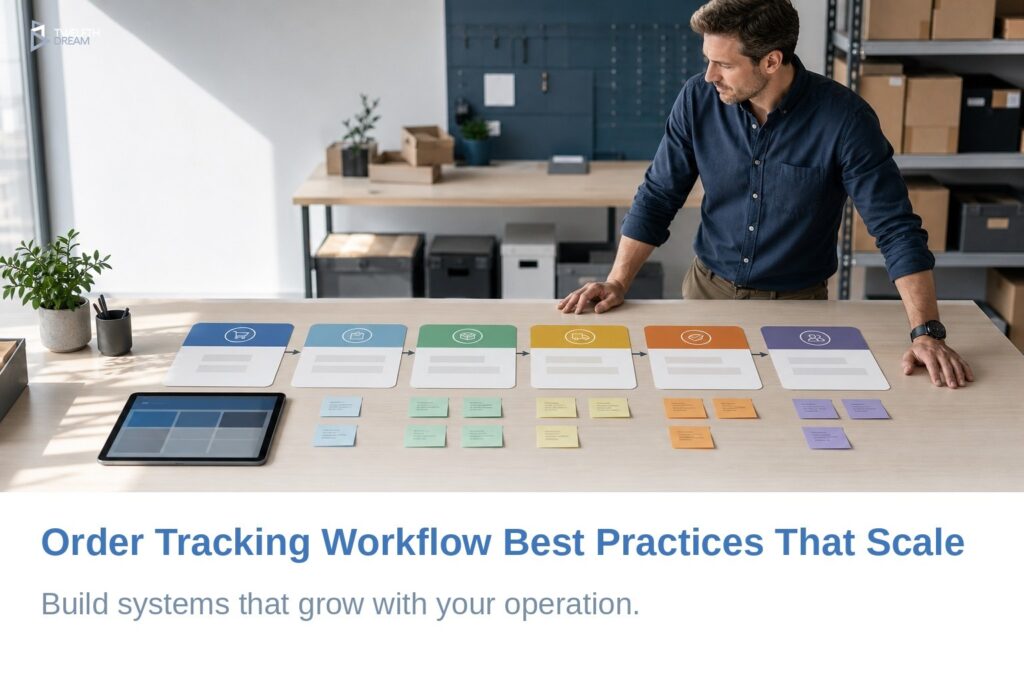
Mapping your fulfillment process means writing down every stage from the moment an order is received to the moment delivery is confirmed, and assigning ownership to each one. Many operations skip this because it feels bureaucratic, but undocumented steps are almost always the source of missed handoffs. If a stage has no documented owner, no one is responsible for it and it will eventually stall.
A complete map should include:
- The trigger for each stage, meaning what event moves the order forward
- The person or team responsible
- The action required before the next stage begins
This documentation becomes especially important when you are preparing to build a custom solution, because it translates your operational logic directly into development requirements.
Order Tracking Workflow Best Practices for Growing Operations in Vancouver
Scalability requires practices that hold up under volume, not just ones that feel efficient on a good day. For businesses across Metro Vancouver, whether you operate out of Burnaby, Richmond, Surrey, or the Downtown core, the most important ones to put in place are:
- Maintain a complete audit trail. Every status change should be timestamped and attributed to a user, so that disputes and errors can be traced rather than guessed at.
- Build escalation triggers into the workflow. Orders that have sat in a given status too long should surface automatically for review, rather than quietly stalling.
- Automate status updates wherever the logic is consistent. Manual updates are the first thing to fall apart when a team gets busy.
It is also worth distinguishing between practices that serve your operation today and those designed for where you are going. At 50 orders a month, a well-maintained spreadsheet may serve you adequately. At 500, the same spreadsheet becomes a source of error rather than a management tool. The practices worth investing in now are the ones that do not require you to rebuild everything again in eighteen months.

Building a Customer Order Tracking Experience That Builds Trust
The internal workflow and the customer-facing experience are two sides of the same process. Gaps on the inside always show up on the outside. Customers who receive no update between placing an order and receiving it will assume something has gone wrong, and many will contact your team to find out.
Research from OptimoRoute found that 24.6% of online shoppers were extremely likely to return to a brand that provides real-time order tracking, a meaningful retention signal that points to proactive communication as a competitive advantage rather than a nice-to-have.
For service businesses managing longer fulfillment cycles or custom orders, the goal is not to automate a delivery notification. It is to set clear expectations at each stage and communicate proactively when anything changes. Customers can accept delays if they are informed. What damages retention is silence. According to Qoblex, 68% of customers will not return to a business after experiencing order processing issues, which means the cost of poor communication is not just a frustrated inquiry, it is a lost relationship.
Large-scale UX research conducted by the Baymard Institute across more than 700 guidelines found that 41% of sites use shipping speed framing instead of delivery dates, a common friction point that creates unnecessary uncertainty. Clear, date-oriented status updates reduce that friction significantly.
Signs Your Delivery Tracking Workflow Needs a Custom Solution
There is a point where the gap between your current tools and your actual workflow becomes a business risk. The clearest signals include:
- Duplicate data entry: the same information must be entered in multiple systems.
- Missed handoffs: errors only get caught after a customer complaint.
- No real-time visibility: finding out where an order stands requires checking two or three places manually.
These are not signs of a team working poorly. They are signs of a system that was never designed for the operation it is now being asked to support. A patchwork of spreadsheets, off-the-shelf software, and manual check-ins has a ceiling. When your workflow requires more human coordination to maintain than it saves, and when errors are becoming a predictable outcome rather than an exception, process improvement alone will not resolve the underlying architecture problem.
Qoblex notes that modern order management systems can deliver up to 85% error reduction and 60% faster processing through workflow automation. These are outcomes that are structurally out of reach for manual or fragmented systems.

What to Prepare Before Building a Custom Order Management System
Building a custom system before you understand your own workflow is one of the most common and expensive mistakes a growing business can make. A development partner can only build what you can describe, so the preparation you do before the first conversation directly determines the quality of what gets built.
Before engaging a development partner, document the following:
- Every stage of the current fulfillment process, including who owns each step and what triggers the handoff to the next
- All current tools in use and where data lives, including integrations that need to be preserved
- The user roles that need access and what each role should be able to see, edit, or approve
- The reporting and visibility requirements for leadership, including which metrics matter most
- The pain points that are currently costing the most time or creating the most errors
How Twelfth Dream Supports Vancouver Businesses With Order Workflow Solutions
At Twelfth Dream, the build process begins with understanding how a client’s operation actually works, not how a generic template assumes it works. Using an adaptive, step-by-step delivery process, the team translates a client’s existing workflow logic into a functional custom system. Clients describe what they need. The technical complexity is handled entirely by a dedicated in-house team of business analysts, designers, developers, and QA specialists, so business owners are never pulled into jargon-heavy decisions or asked to manage the development process themselves.
This approach connects naturally to the broader landscape of inventory and order management app ideas, and to the kind of specific functionality that defines strong solutions, including barcode inventory app features that serve warehouse and fulfillment operations.
Should You Fix Your Process or Build a Custom System
Not every workflow problem requires custom software, and it is important to be honest about that distinction before committing to a build.
Fix the process first if the core issue is that your team is not following a documented process, or your status definitions are ambiguous. These are process gaps. They can often be resolved with clearer documentation, better training, and more disciplined use of existing tools.
Consider off-the-shelf software if the process is well-documented but your current tools cannot reflect it accurately and an available product aligns reasonably well with what you need.
Choose custom development if your operation has a specific logic, unique approval chains, or integration requirements that no available product supports cleanly. That is a systems architecture gap, and a purpose-built solution is the most direct path to something that actually fits.
| Situation | Recommended Approach | Why |
|---|---|---|
| Team not following a documented process or status labels are ambiguous | Fix the process first | The gap is behavioural, not technical. Better documentation and training can resolve it. |
| Process is documented but current tools cannot reflect it accurately | Consider off-the-shelf software | A standard product may align well enough without requiring a custom build |
| Unique approval chains, integrations, or logic no standard product supports | Choose custom development | A purpose-built solution is the most direct fit for a systems architecture gap |
Gartner research suggests procurement leaders anticipate meaningful productivity gains from AI-enabled workflow automation, reinforcing the direction that growing operations are moving. The specifics will vary by industry and implementation, but the trend toward automating repetitive workflow steps is consistent across sectors.
If you are a Vancouver-based business ready to think seriously about what a purpose-built order tracking system could look like for your operation, Twelfth Dream is the kind of partner that starts by listening. Reach out and describe how your workflow actually works. The rest is something the team handles.

Frequently Asked Questions About Order Tracking Workflows
What is an order tracking workflow?
An order tracking workflow is the documented sequence of steps, from order receipt to delivery confirmation, that defines who owns each stage, what triggers the next step, and how status is recorded. It gives both internal teams and customers a consistent, reliable picture of where every order stands at any given point.
How many order statuses does a workflow actually need?
Most operations benefit from six to ten clearly defined statuses rather than a handful of vague labels. The right number depends on your fulfillment complexity. Each status should describe a specific, observable state with a clear owner and next action, not a broad category that different team members interpret differently.
When does a spreadsheet stop working for order tracking?
Spreadsheets typically become a liability when manual updates are frequently missed, multiple team members need to edit simultaneously, or errors are becoming routine rather than occasional. For most growing businesses, this friction appears somewhere between 100 and 300 orders per month, though the threshold depends on order complexity.
What is the difference between off-the-shelf order management software and a custom solution?
Off-the-shelf software offers pre-built features suited to common fulfillment models. A custom solution is built around your specific workflow logic, approval chains, and integrations. It is the better choice when standard products require too many workarounds to match how your operation actually runs.
How does proactive order communication affect customer retention?
Proactive updates at each stage, without waiting for customers to ask, reduce anxiety around order status and build trust over time. Research cited in this guide indicates that 68% of customers will not return after experiencing order processing issues, making clear and timely communication a direct driver of repeat business.
What should Vancouver businesses document before building a custom order system?
Document your complete fulfillment process stage by stage, identify every tool currently in use and where order data lives, define user roles and their access needs, and list the specific pain points causing the most errors or delays. This preparation directly determines how well the final system fits your operation.